 Glysee
Glucose at
a glance.
Turn a spare screen into a bedside display, or share a reading with someone across town. You choose who can see it from your primary phone.
See how sharing works ↓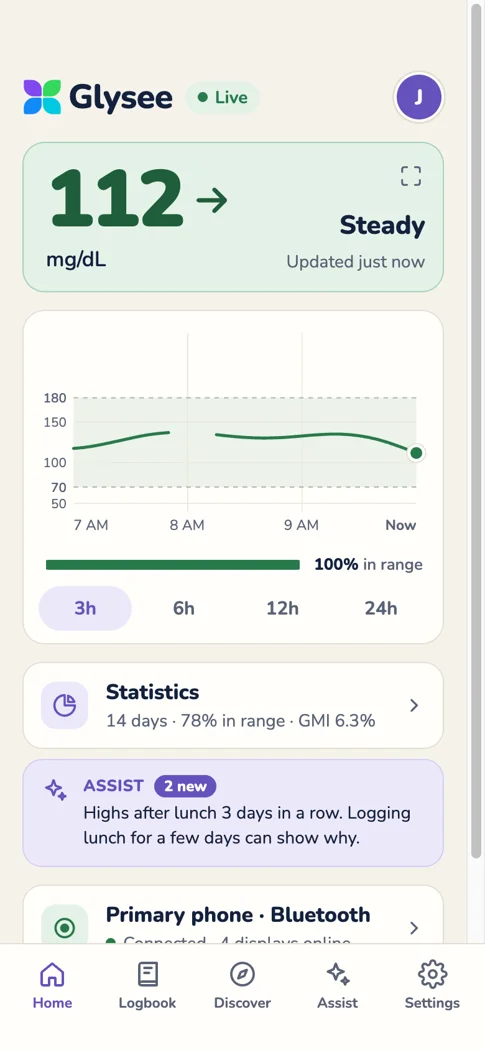
From your phone to their screen
Choose what to share
In the connected primary phone’s Internet monitor settings, choose current glucose only or include history.
Send a private link
Send a separate invitation to each person. They open it on their phone, tablet or computer.
Manage access
Visitors see the reading, trend and reading time. Revoke their access from the primary phone whenever you choose.
Inside the iPhone app
Bedside display
Turn the phone sideways for a large reading. Choose a dimmer setting for the nightstand.
Logbook & Assist
Keep meals and activities beside your glucose history. On supported iPhones, tell Assist what happened, review its suggested entry, then tap Add.
Statistics
Review trends over time and prepare a PDF to bring to a visit.
Support & privacy
Find help opening an invitation, understanding a missing reading or managing who can view your Monitor.
Visit Glysee Support